Dialogue Editor
Technologies
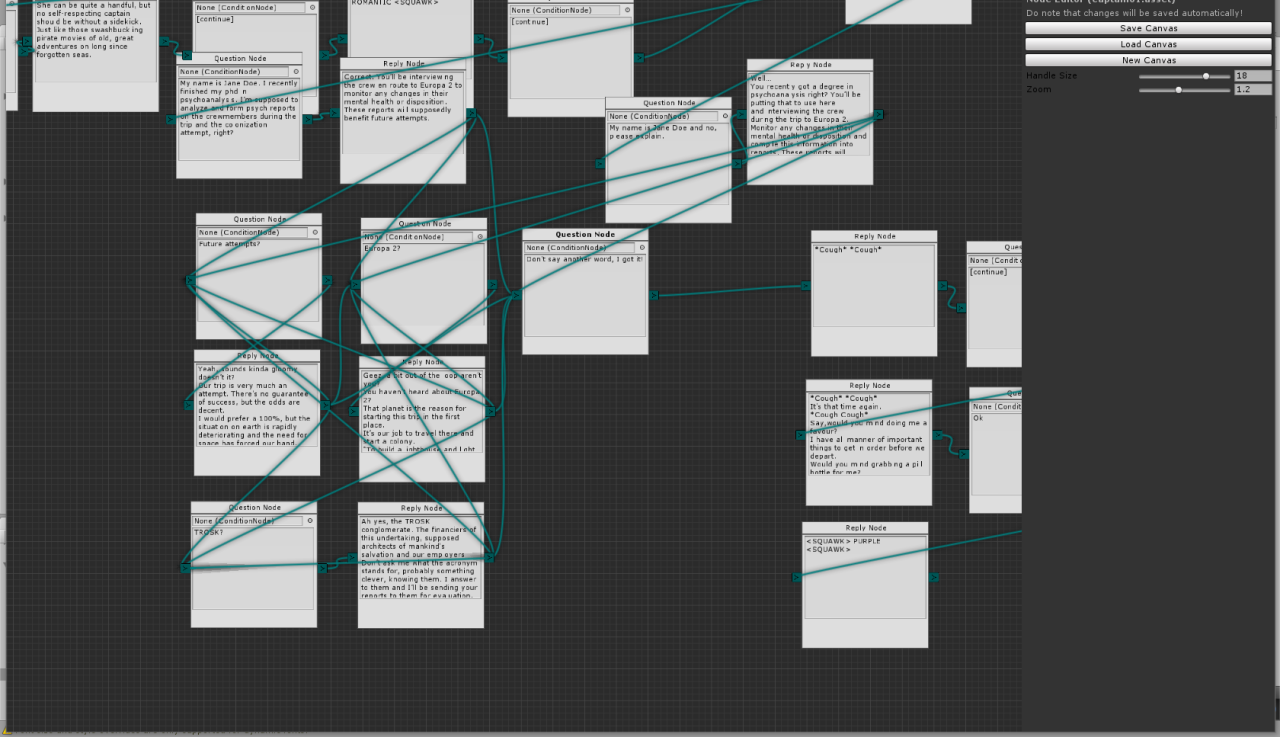
While working on a point and click adventure game (The Side Effects of Life in Space), I created a custom editor for writing the game's many dialogues. At the time, we had a writer on the team who wrote the plot, characters and dialogue in a word document. However, it was hard for him to test his writing in the game without us adding it in manually.
At that time we were using an array with indexed references for branching dialogue. All copy-pasted by hand into a single script file which was increasingly getting out of hand. So, we needed a tool with which the writer could easily develop branching dialogues and test them in the editor.
I started by going around the team and taking an inventory of all the features that should be incorporated into the first prototype of the tool. Which resulted in the following list.
The tool should:
- Allow to create branching dialogue
- With loopback to earlier questions
- Be easily called from code and extended
- Should contain checks for items or if certain conditions have been met
- Easily show the flow of conversation
- Set conditions after exploring certain dialogue branches
- Give items to the player
- Easily re-order dialogue parts
When creating the first prototype of the tool, Unity didn't yet have an API for creating node-based tools, like it has today. So I started out creating a simple editor window where you can drag a box around in a grid and connecting boxes with Bézier curves.
This work is based on earlier work from Baste Nesse Buanes' Node Editor Framework from 2015. Of which a newer version can be found here. The tool was licensed under the MIT License.
The next step was to add some logic and the ability to save graphs into a data structure. For the data structure I decided on ScriptableObjects as they are native to the Unity ecosystem and can contain both logic and data. Which lead beautifully into creating a simple logic system where you can program with boolean logic and define variables. One of the requirements.
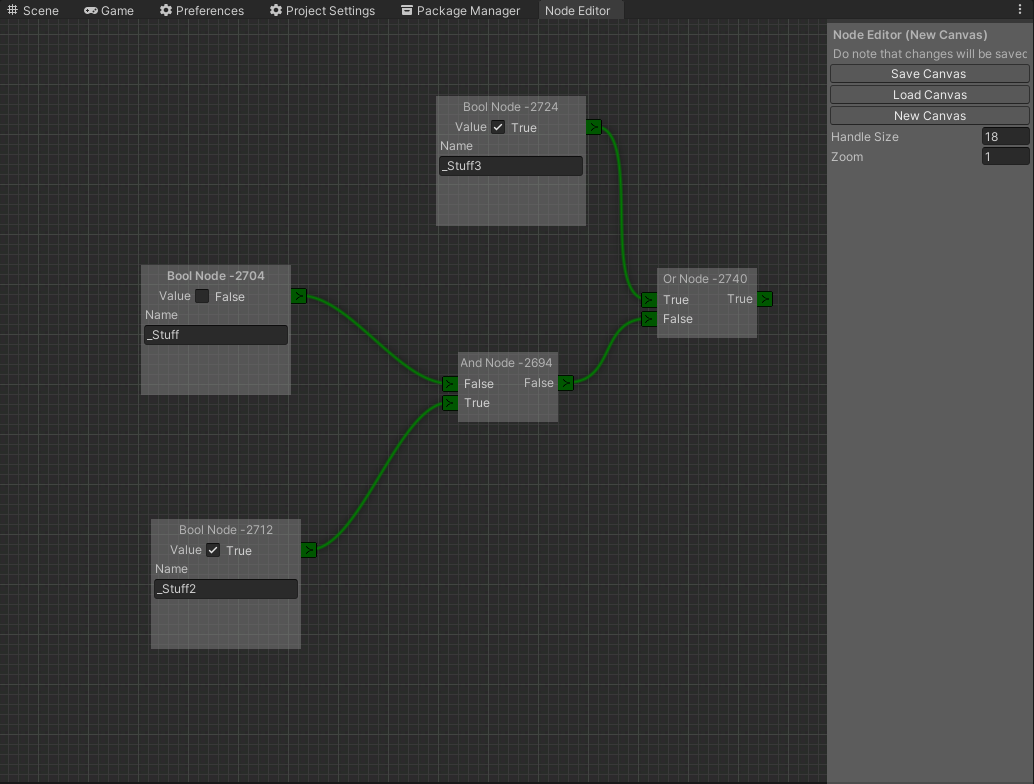
It was quite easy to add different node types to the system so I proceeded to work on the dialogue nodes.
At first I thought that the dialogue nodes would be specific to the game, along with the information nodes (where we save and lookup player save data key-value pairs) and item nodes (both for checking, taking and for giving items). These nodes where thus implemented not as a stand-alone re-usable package, but part of the game code.
using UnityEngine;

#if UNITY_EDITOR

using UnityEditor;

#endif

using NodeEditor;

[System.Serializable]
[Node(false, DialogueReply)]
public class ReplyNode : TextNode
{
	/// <summary>
	/// The ID for this node
	/// </summary>
	public override string GetID { get { return ID; } }

	private string ID;

	/// <summary>
	/// Node constructor
	/// </summary>
	/// <param name="pos"The position given by the baseparam
	/// <returns>A new instance of node</returns>
	public override Node Create(Vector2 pos)
	{
		ReplyNode node = CreateInstance<ReplyNode>();
		node.ID = "Reply Node "  node.GetInstanceID();
		node.rect = new Rect(pos., pos., 200, 200);
		node.CreateInput("Input", "Conversation");
		node.CreateOutput("Output", "Conversation");
		return node;
	}

	/// <summary>
	/// What does the node need to draw
	/// </summary>
	public override void NodeGUI()
	{
#if UNITY_EDITOR
		GUIStyle style = new GUIStyle("textArea");
		style.wordWrap = true;
		style.stretchHeight = true;
		content = EditorGUILayout.TextArea(content, style, GUILayout.Height(130));

		InputKnob(0);
		OutputKnob(0);

		// This is SUPER important since else the text in the nodes WILL reset after reload.
		// Making all your hard work for nothing when you restart unity :{
		if (GUI.changed)
		{
			EditorUtility.SetDirty(this);
		}
#endif
	}
}